


I have an old bug on the Quest Map. Every cities (except the Capitals) and every quests are placed on a line on my map. Some of them are overlap a city or an other quest.
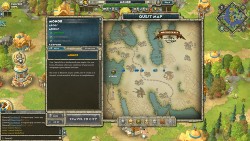
Babylon, Tarsos, Haunted Island and their legendary quests:
One quest is under Cyprus, while 2 overlap and hide Tarsos. Haunted Island is not an island for me.
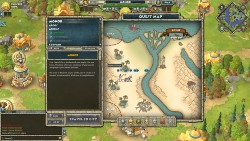
Carthage, Farafra Oasis, Rhakotis and the Treasures of the Nile quests:
Can you find Carthage? No? Its perfectly overlap with Farafra Oasis!
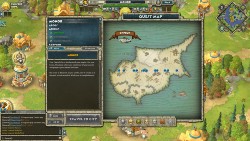
Cyprus and the 12 Kingdoms:
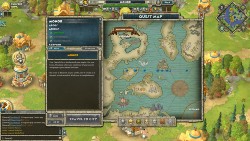
Well of Urd and the 9 Realms:
As I said, this is not a new bug for me. I had this inaccurate map in the original game too. When you posted the details about the Summer event with an image where we will find Rhakotis, I realized the map is basicly good and accurate. Only my map has an issue. Looks like the Y axis of the quest/city coordinate is always set to 0.
Babylon, Tarsos, Haunted Island and their legendary quests:
One quest is under Cyprus, while 2 overlap and hide Tarsos. Haunted Island is not an island for me.
Carthage, Farafra Oasis, Rhakotis and the Treasures of the Nile quests:
Can you find Carthage? No? Its perfectly overlap with Farafra Oasis!
Cyprus and the 12 Kingdoms:
Well of Urd and the 9 Realms:
As I said, this is not a new bug for me. I had this inaccurate map in the original game too. When you posted the details about the Summer event with an image where we will find Rhakotis, I realized the map is basicly good and accurate. Only my map has an issue. Looks like the Y axis of the quest/city coordinate is always set to 0.


